Vapor Logo

Vapor

Your Personal Gaming Assistant

Ever wish you could just launch a game and have everything else get out of the way? Vapor is a lightweight Windows utility that watches for Steam game launches and applies your preferred settings automatically—so you can jump straight into the action.

Everything You Need

Set it once, forget it exists. Vapor handles the tedious stuff so you can focus on gaming.

🔕

Close Distractions

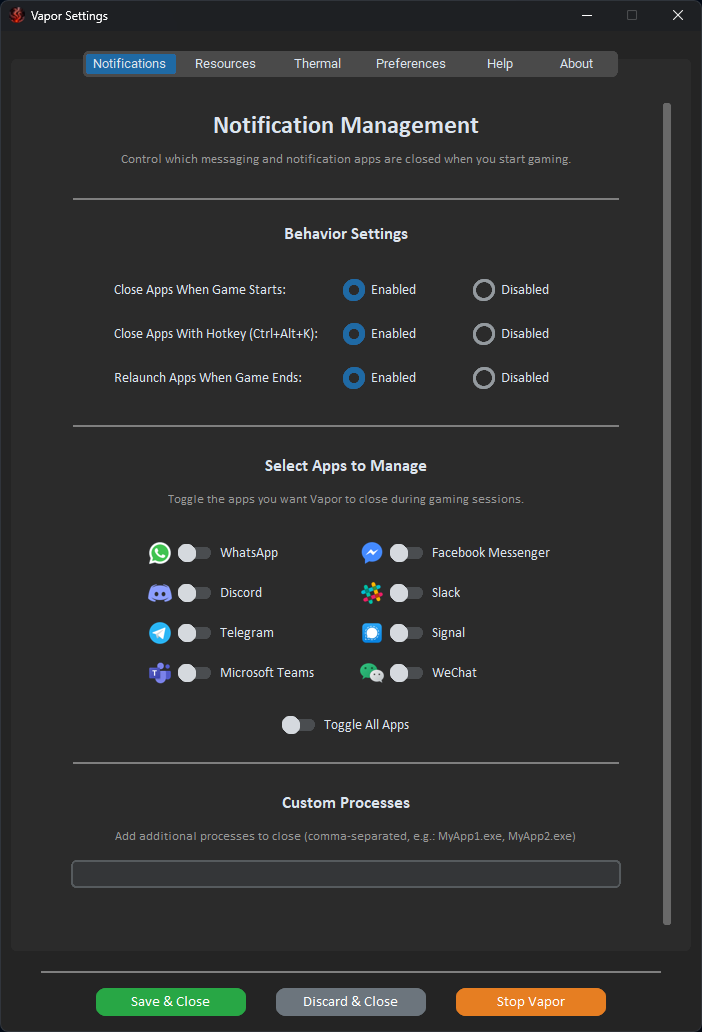
Automatically close messaging apps when you start playing. They reopen when you're done.

Discord Slack WhatsApp Teams Telegram Signal

Free Up Resources

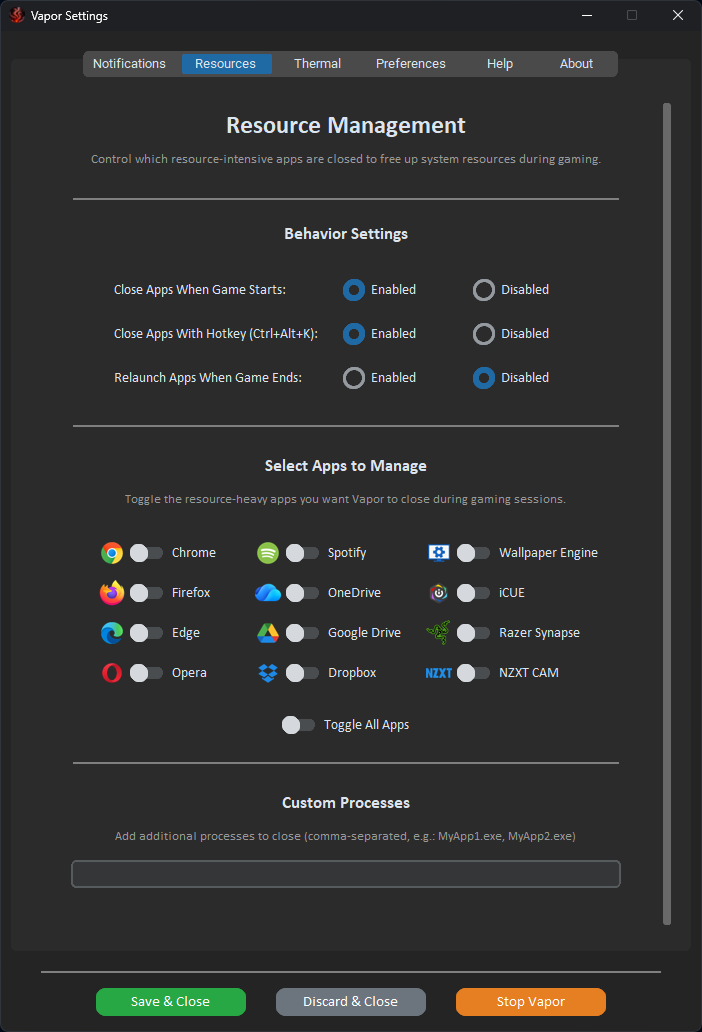
Close resource-heavy apps to give your game more RAM and CPU headroom.

Chrome Firefox Spotify Wallpaper Engine OneDrive
🔊

Audio Control

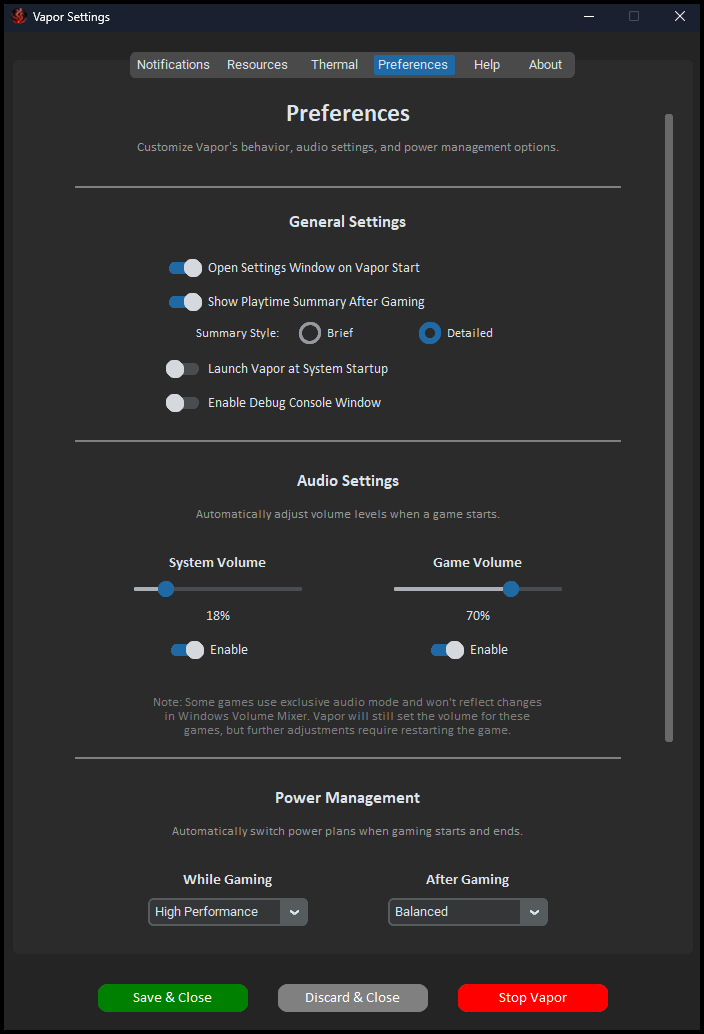
Set system and game volume to your preferred levels automatically. Perfect for late-night gaming or immersive sessions.

🔋

Power Management

Switch to High Performance mode when gaming, then back to Balanced when you quit. No more digging through settings.

🌡️

Temperature Monitoring

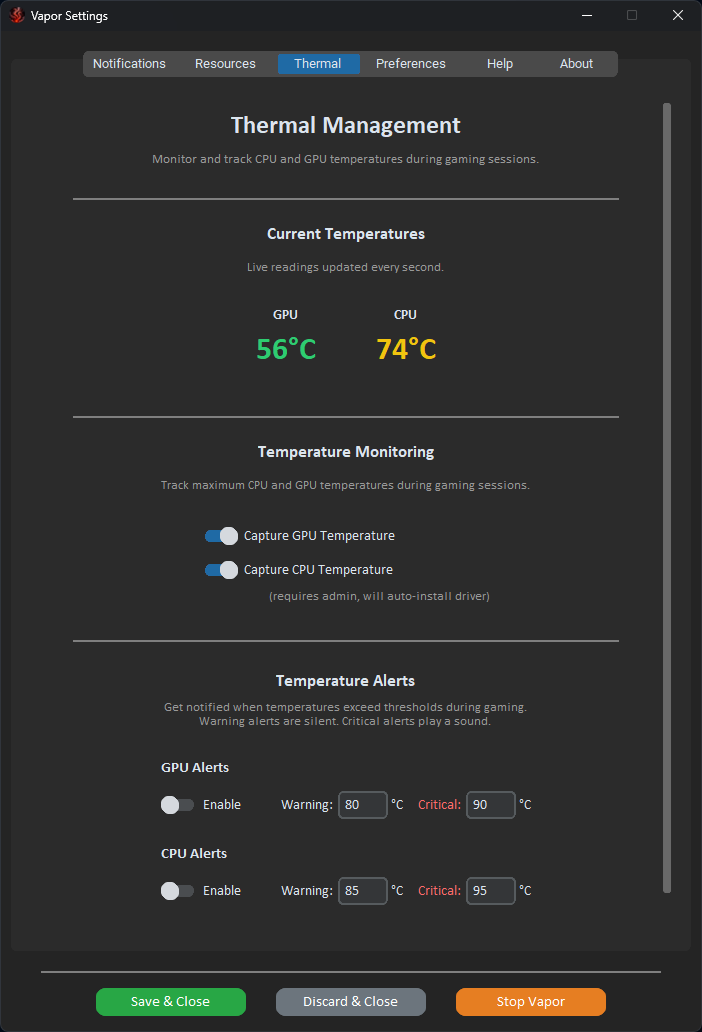
Monitor CPU and GPU temps in real-time with customizable alerts. Know before things get too hot.

📊

Session Summaries

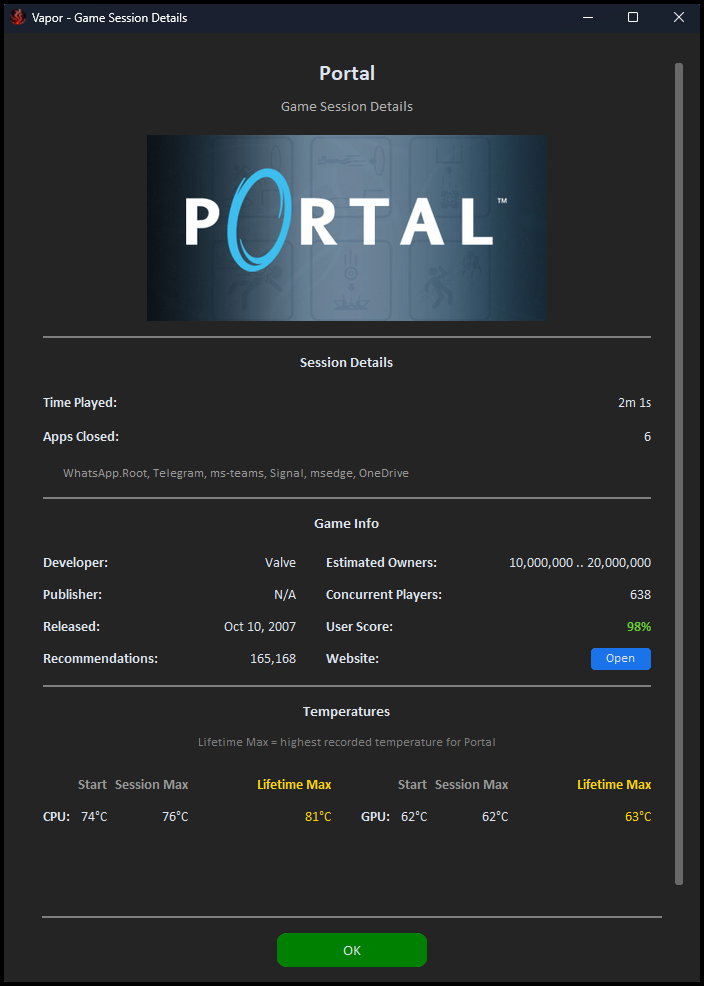
See your playtime, peak temperatures, and game info when you finish. Track your gaming habits effortlessly.

How It Works

Three simple steps to a distraction-free gaming experience.

1

Configure Your Preferences

Choose which apps to close, set your volume levels, pick your power plans, and customize temperature alerts. Do this once.

2

Launch Any Steam Game

Vapor detects when you start a game and automatically applies your settings. Apps close gracefully, volumes adjust, and your PC optimizes itself.

3

Quit and Resume

When you're done playing, Vapor restores everything. Closed apps reopen, power settings return to normal, and you get a summary of your session.

See It In Action

Clean, intuitive interface designed to stay out of your way.

Preferences Settings
Preferences & Audio Settings
Notification Settings
Notification App Management
Resource Settings
Resource App Management
Thermal Settings
Temperature Monitoring

Ready to Play?

Free, source-available, and lightweight. Download Vapor and simplify your gaming setup.

Download Latest Release
Windows 10/11 ~30 MB No installation required